- Get Started
- Video Tutorials
- Knowledge Base
- Channels
- Listings
- Inventory
- Orders
- Settings
- FAQs & Troubleshooting
How to Connect Joybuy shop to 4Seller?
Updated on 20 Oct,2026Copy Link
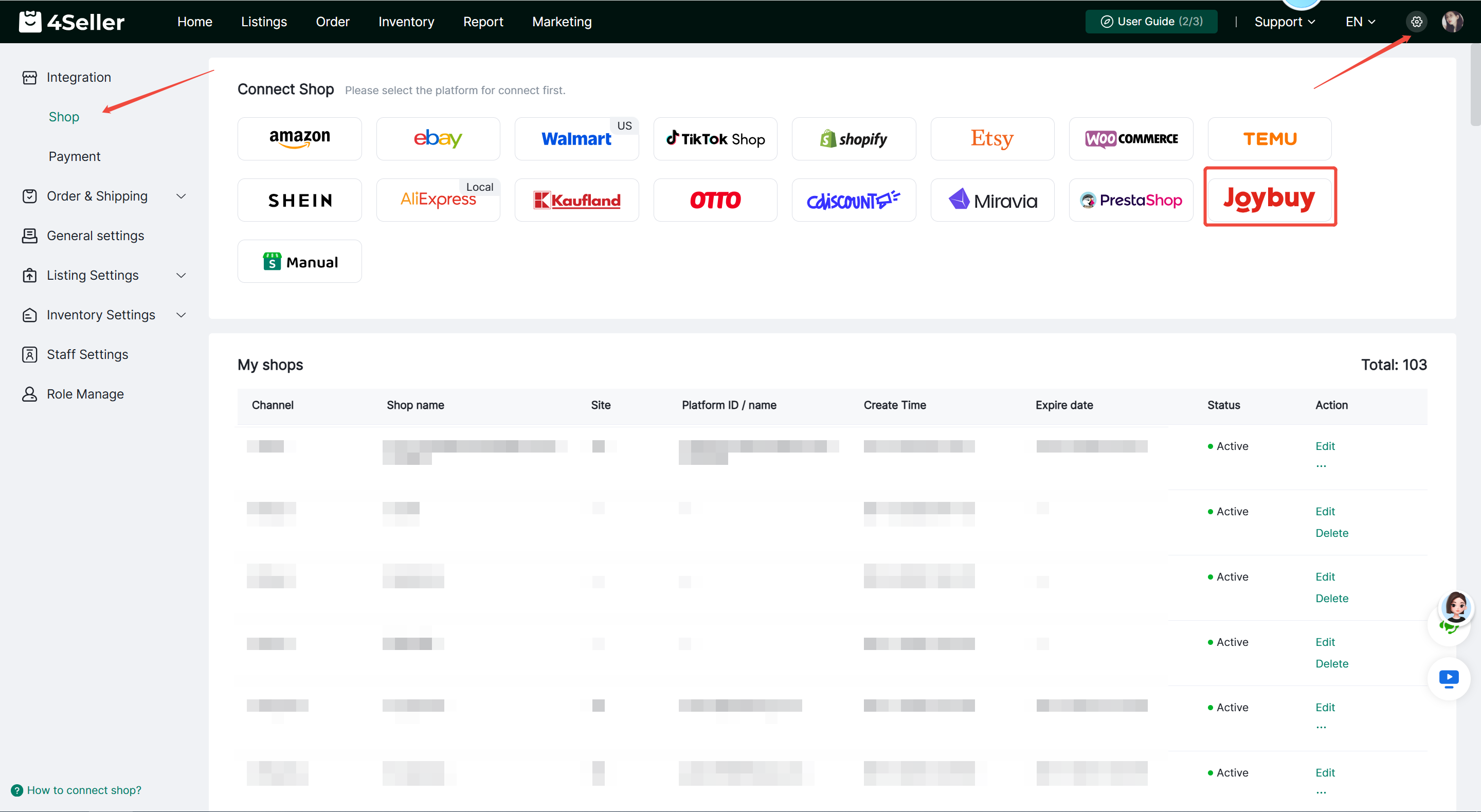
Step 1. Go to 4Seller Settings > Integration, tap the Joybuy icon.


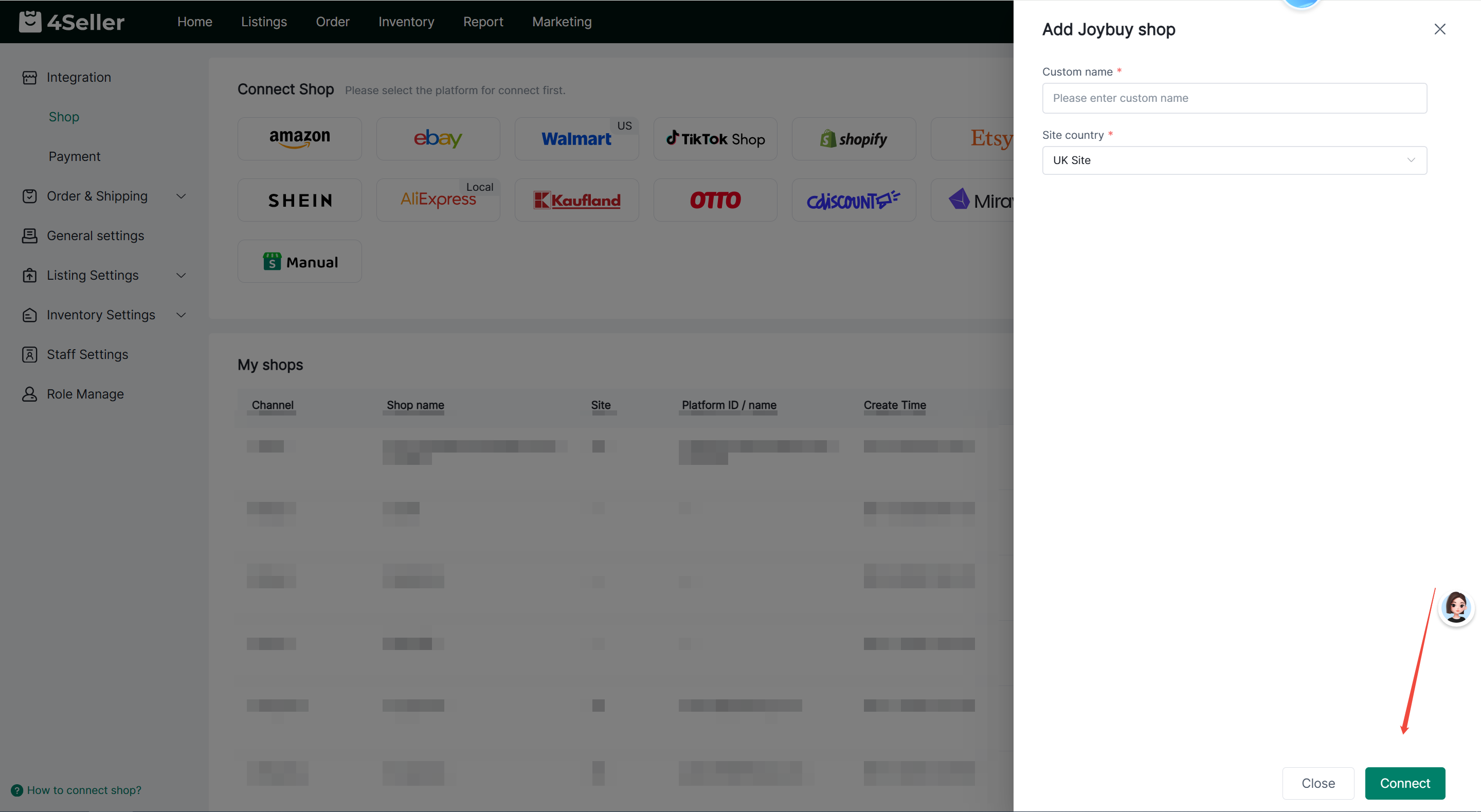
Step 2. Enter the custom shop name and choose the Site country and then click the Connect button, and you will be redirected to the Joybuy website.


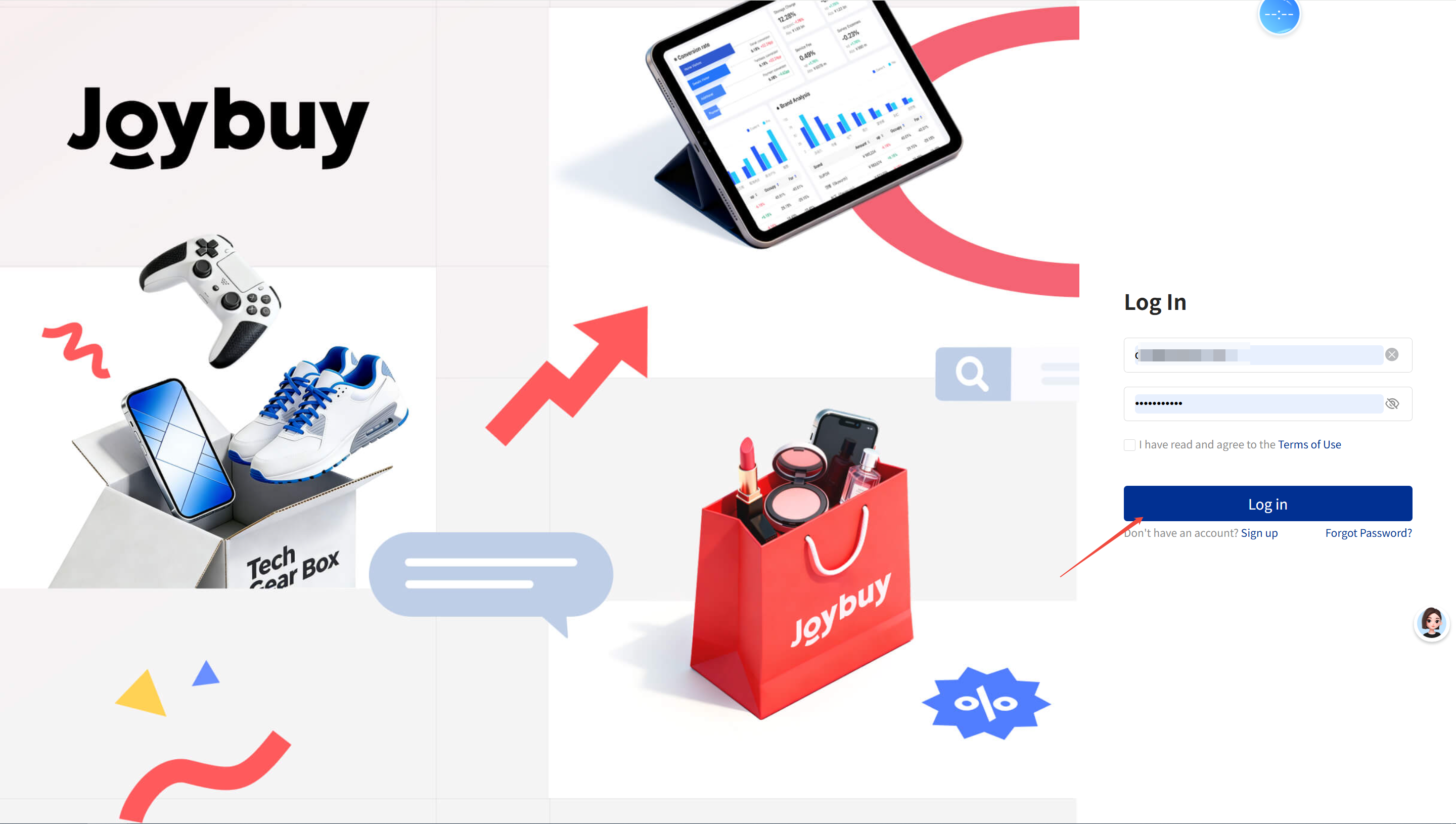
Step 3. Input your Joybuy account, click Log in to redirect to the page, then confirm authorization.


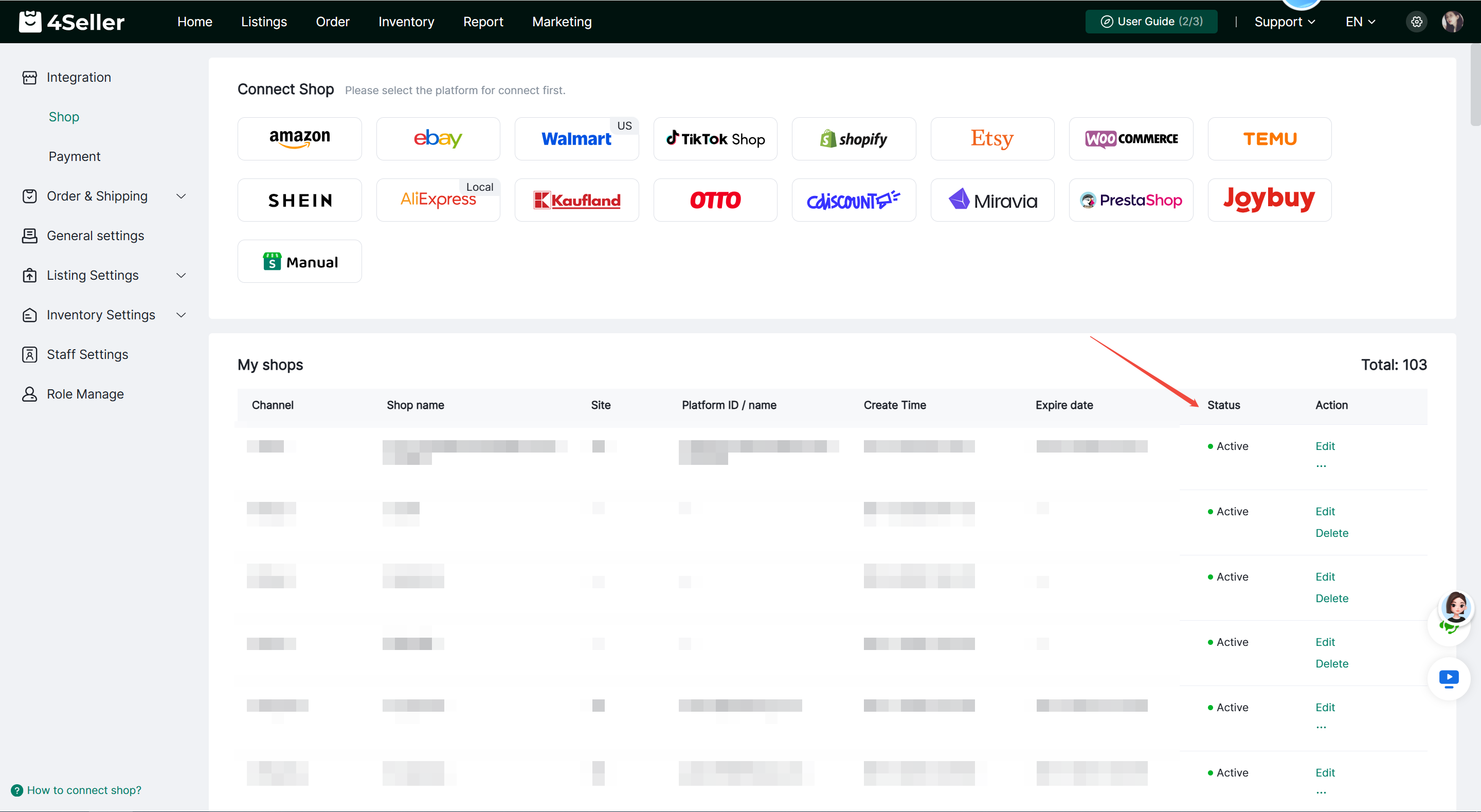
Step 4.After successful authorization, it will appear under My Shops where you can check the authorization status. If it shows Inactive, click Re-authorize.


Once authorization is complete, you can use 4Seller to sync live products, process orders, sync inventory and more!

Any problem feel free to contact 4Seller Support Team: support@4seller.com


Back to top